

Is Your App or Website Quietly Losing Users Right Now?
Here’s a question worth sitting with for a moment. When was the last time you used an app and thought, “Why is this so confusing?” You probably closed it within 30 seconds and never went back. Now flip that around. When was the last time you used something so smooth, so intuitive, that you didn’t even notice the design? That’s the goal.
In 2026, users are less patient than ever. They have thousands of options at their fingertips. If your product doesn’t feel right in the first few seconds, they’re gone. And here’s what the data confirms: according to Forrester Research, every $1 invested in UI/UX design returns up to $100. That’s a 9,900% ROI. A well-designed user interface can boost conversion rates by 200%, and strong end-to-end UX can push that to 400%.
So the real question isn’t whether UI/UX design matters. The question is: are you doing it right?
This blog breaks down the 10 best UI/UX design practices in 2026, grounded in real research, real numbers, and what’s actually working in the market right now.
Whether you’re a startup founder, a product manager, or a brand looking for top ui/ux design services, these are the principles you cannot afford to overlook.
But,
What Exactly Is UI/UX Design, and Why Do People Confuse the Two?
Before diving in, let’s clear this up because it matters.
UI (User Interface) design is what you see: the buttons, typography, colors, layouts, and visual elements on a screen. UX (User Experience) design is the broader journey: how a user feels, how they navigate, how errors are handled, and how fast everything responds.
You can have a beautiful UI with terrible UX. Think of a gorgeous app that’s impossible to navigate. You can also have functional UX with outdated UI. The goal of good ui/ux design is both, working together.
A ux designer ui designer hybrid, or someone who bridges both roles, is increasingly valuable in 2026 because design cannot live in silos anymore.
The best digital products, whether built through android app development, iOS app development, or web development, feel like one seamless experience.
1. Start With the User, Not the Interface
This sounds obvious. But most products fail here.
User-centered design (UCD) means every decision, from information architecture to button placement, is made based on what real users need, not what the internal team prefers. The foundation is user research: interviews, surveys, behavioral analysis, and usability testing conducted before any design work begins.
Here’s a practice that’s being widely adopted by serious ui/ux design agencies in 2026: journey mapping. Before a single wireframe gets drawn, design teams map out the complete journey a user takes to accomplish a goal.
- Where do they start?
- Where do they hesitate?
- Where do they give up?
Personas are another non-negotiable tool. They’re not fictional characters meant for presentations. They’re research-grounded representations of your actual user segments, with real frustrations, goals, and behavioral patterns baked in.
What makes this practice more urgent in 2026?
According to data from the Nielsen Norman Group, just 5 users in a usability test can uncover 85% of the usability issues in a product. You don’t need a massive research budget. You need a commitment to talking to real people before building for them.
A quick self-check!
Can your team clearly articulate what your top user persona is trying to accomplish in the first 60 seconds of using your product? If there’s any uncertainty there, start with the user first.
Also Read – How to Monetize Free Apps Without Killing User Experience?
2. Mobile-First Is Not Optional Anymore
Let’s talk about where your users actually are.
In 2026, over 63% of global web traffic comes from mobile devices. During peak shopping periods like Cyber Week 2025, mobile accounted for 80% of traffic and 70% of all orders globally, according to Salesforce data.
And yet, many digital products are still designed desktop-first and “adapted” for mobile as an afterthought. The results are predictable: high bounce rates, low conversions, and frustrated users.
Mobile-first design means you design for the smallest screen first, typically a 320-375px viewport, and progressively enhance the experience for larger screens like tablets and desktops. This approach, popularized by Luke Wroblewski, forces teams to prioritize what actually matters. When screen space is limited, you can’t include clutter.
Why does this matter for mobile app development?
Because users on mobile are often multitasking, commuting, or distracted. They’re not sitting at a desk with full attention. Your mobile ui/ux design has to work in 10 seconds of focused attention, or it doesn’t work at all.
For android app development and iOS app development specifically, platform guidelines are non-negotiable starting points.
Material Design for Android and Apple’s Human Interface Guidelines for iOS exist because they match user expectations built over years of usage. Breaking them creates friction. Following them creates familiarity.
A few non-negotiables for mobile UX in 2026:
- Tap targets should be at minimum 44×44 pixels. Anything smaller causes accidental taps and frustration. According to one study, 66% of mobile sites place tappable elements too close together.
- Page speed is critical. A 1-second delay in page load time reduces conversions by 7%. And 53% of mobile users abandon a site that takes more than 3 seconds to load, per Google’s research.
- Navigation must be thumb-friendly. The bottom navigation bar, not the hamburger menu buried at the top, is the standard for primary mobile navigation in 2026. Users hold phones in one hand.
Worth asking!
When your team tests a new feature, do they test it on a mid-range Android device on a 4G connection? Most usability issues in android app development surface under those real-world conditions, not on a high-end iPhone in a well-lit office.
3. Performance Is Part of the Design
This one gets left out of most UI/UX design conversations, and that’s a mistake.
Loading time is a design decision. Page weight is a design decision. How and when assets load is a design decision. If users are waiting, they’re not converting. The data is clear: just a 1-second to 10-second increase in mobile page load time leads to a 123% higher bounce probability.
In 2026, Google’s Core Web Vitals remain a critical performance benchmark for any team serious about ui/ux design for the web. These metrics measure real-world loading performance, interactivity, and visual stability. Designing gorgeous interfaces that fail Core Web Vitals is a design failure, not just a development one.
Top ui/ux design trends in 2026 show that the best teams involve developers in the design process from the start. When a ui ux designer and a frontend developer collaborate on performance budgets during the design phase, the final product loads faster and the user experience is better.
For mobile app development, performance optimization goes even deeper: handling poor network conditions gracefully, caching data intelligently, and ensuring smooth 60fps animations without dropping frames on mid-range devices.
Also Read – How Motion UI Enhances UX and Boosts Conversion Rates?
4. Accessibility Is a Business Decision, Not Just a Legal Requirement
Here’s a stat that should reframe how you think about accessibility.
According to WebAIM’s 2026 analysis, only 3.7% of the top one million websites meet full WCAG 2.1 AA compliance. That means 96.3% of major websites are failing to serve a significant portion of their users. The global population living with some form of disability is approximately 1.3 billion people, representing $13 trillion in spending power.
ADA-related lawsuits in the US reached a record 4,600+ in 2025, a 14% increase year over year. The European Accessibility Act also came into effect in 2025, making accessibility compliance a legal requirement across the EU. If your ui/ux design agency isn’t building accessibility into the process from day one, that’s a liability.
But beyond the legal and ethical angle, accessible design is simply better design. When a ui ux designer builds proper color contrast, keyboard navigation, readable typography, and alt text into an interface, every user benefits. Clarity and structure help everyone, not just users with disabilities.
The five most common WCAG errors in 2026, according to WebAIM, are: low color contrast (83% of sites), missing alt text (58%), empty links (51%), missing form labels (46%), and missing page language declaration (29%). These are not complicated fixes. They’re basics that get skipped when accessibility isn’t part of the design checklist from the beginning.
Any serious ui/ux design service should be asking!
- Does this interface work for someone who uses only a keyboard?
- Does it work for someone using a screen reader?
- Does it work in low-light conditions?
If the answers aren’t immediately yes, the design isn’t finished yet.
5. Recognition Over Recall: Design for the Human Brain
Here’s a UX principle that comes directly from Nielsen’s 10 heuristics and still drives some of the highest-converting interfaces in 2026.
Users should not have to remember information to navigate your product. They should be able to recognize what to do next based on what they see. This is why Amazon shows you “recently viewed” items. It’s why search autocomplete exists. It’s why shopping cart icons, hamburger menus, and heart icons for favorites are so universal. They’re familiar patterns that require zero cognitive effort to understand.
Every time a user has to stop and think, “What does this do?” or “Where did that go?”, you’ve lost a small amount of their trust. Enough of those moments and they leave.
Top ui/ux design trends in 2026 are doubling down on this principle in the context of AI-powered interfaces. When AI suggests something, or takes an automatic action, the system must communicate what it did and why. If users can’t understand what the AI just did, they won’t trust it. And distrust kills retention.
Practical applications for any ui ux designer working on this principle:
- Show options rather than asking users to remember them. Dropdowns beat blank fields. Autocomplete beats empty search bars. Visible filters beat hidden advanced search options.
- Use consistent patterns across your product. If a swipe gesture dismisses a card on one screen, it should do the same on every screen. Inconsistency forces users to relearn.
- Rely on familiar iconography and navigation patterns before inventing new ones. Innovation in UI is great, but not at the cost of learnability.
Also Read – Frontend vs Backend: Choosing the Popular Web App Frameworks!
6. Personalization That Respects Privacy
Here’s the tension that every ui/ux design team is navigating in 2026.
Users Want Personalized Experiences
By tailoring experiences with AI, companies are seeing customer participation rise by around 30%, per industry data. But users are also increasingly aware of what it costs to get that personalization: their data. And they’re not always comfortable with the trade.
Consider Netflix’s Recommendation Engine
It works because users consciously chose a service centered on personalization. Everyone knows Netflix tracks what you watch, and that’s the implicit agreement. Contrast that with a retail website tracking behavior across dozens of unrelated platforms to serve retargeted ads. The technology is the same. The user perception is completely different.
In 2026, the best ui/ux design agencies are building what’s being called “privacy-first personalization.” This means personalizing the experience based on in-session behavior and explicitly shared preferences, rather than opaque background tracking. Clear consent, simple privacy settings, and honest communication about data use are now design requirements, not afterthoughts.
Practical ways to implement this well:
- Let users customize their own dashboards. Giving users control over their experience is itself a form of personalization that doesn’t require any data collection.
- Use in-session signals to personalize. If a user browsed three product categories in a session, surface related items. You don’t need a full behavioral profile to do that.
- Make privacy settings visible and simple. Not buried in a settings menu three levels deep.
For teams building through mobile app development, in-app permission requests should be contextual. Ask for location access when the feature that needs it is being used, not during onboarding before the user understands why it’s needed.
7. Build Consistent Design Systems, Not One-Off Interfaces
Here’s something that separates product teams that scale from ones that don’t.
A design system is a shared library of UI components, patterns, typography rules, color tokens, and interaction guidelines that ensures consistency across every screen, every platform, and every team working on a product. Without one, different parts of the same app end up looking and behaving differently. Users notice, even if they can’t articulate it.
Consistency in ui/ux design serves two audiences: users and developers. For users, it means they don’t have to relearn how your product works every time they navigate to a new section. For developers working on android app development or iOS app development, it means faster build times, fewer design handoff questions, and more predictable output.
Top ui/ux design trends in 2026 show that mature design systems now include component-level behavior documentation, not just visual specs. A ui ux designer documenting a button isn’t just specifying its color and size. They’re specifying every state: default, hover, active, disabled, loading, error. Those edge cases are where bad UX hides.
Companies with strong design systems ship faster, with fewer bugs, and with more consistent user experiences. The upfront investment pays for itself in the first major product update.
Also Read – Where to Find and Hire App Developers in 2026?
8. Micro-Interactions That Communicate, Not Just Decorate
A micro-interaction is a small, contained moment of interaction: the animation when you tap a “like” button, the subtle shake of a login form when the password is wrong, the progress indicator that shows you how far along you are in a process.
In 2026, micro-interactions are no longer optional. According to Wix’s in-house UX research, “nothing can be static anymore, because it gives an out-of-date vibe.” Users have been conditioned by well-designed apps to expect real-time feedback from every interaction. When nothing happens after a tap, they tap again. And again. That’s a UX failure.
But here’s the important distinction: the best micro-interactions in 2026 exist to communicate, not to impress. A loading animation tells the user the system is working. A checkmark confirms a form was submitted. A color change confirms a toggle is active. Every one of those moments reduces uncertainty and builds confidence.
Where micro-interactions go wrong is when they’re decorative. Animations that slow down the interaction, transitions that are longer than 300ms without purpose, or motion effects that distract from the primary action. The rule of thumb is simple: if the micro-interaction doesn’t provide information or feedback, it’s probably in the way.
For mobile app development specifically, micro-interactions also serve a touch feedback role. On a physical keyboard you feel the keypress. On glass, you don’t. A subtle vibration or visual response fills that gap.
9. Continuous Testing Is Not a Phase, It’s a Practice
Too many teams treat usability testing as something that happens before launch. In 2026, that’s like treating quality control as something that happens before shipping a product and never again.
User behavior changes. Expectations change. Technology changes. A ui/ux design that worked perfectly 18 months ago may now have friction points that didn’t exist when it was first built. The teams that stay ahead of that are the ones running continuous, iterative testing loops.
And the threshold for starting is low. Nielsen Norman Group’s research, cited consistently across 2025 and 2026 studies, shows that just 5 users can uncover 85% of usability problems. You don’t need a large, expensive research program. You need a consistent habit.
What does continuous testing look like in practice? Companies that test continuously achieve 2.4x higher conversion rates than those that test sporadically, according to VWO research. AI-powered testing tools are also reducing test setup time by 64% and increasing the number of insights per experiment by 3.1x, per Optimizely data.
For mobile app development, session replay tools have become essential. They show exactly how real users interact with your app in real conditions, on real devices, with real network connections. The insights from 50 to 100 session replays per week consistently surface issues that lab tests miss entirely.
The question every team should be asking weekly: What did we learn from actual users this week, and what are we changing because of it?
Also Read – The Future of CX: A Guide to Voice AI App Development
10. Design for Clarity Over Cleverness
This is the principle that ties everything else together.
In 2026, the best digital experiences are not the most visually complex. They’re the clearest. Users want interfaces that feel obvious: they know where to look, they know what to tap, they know what happens next. Visual hierarchy should guide attention naturally. Primary actions should stand out. Secondary options should stay subtle.
Extreme minimalism as a trend is actually fading, according to UX research from EgensLab. Taken too far, minimalism strips away helpful context and leaves users guessing. Hiding features behind icons or blank screens in the name of visual cleanliness creates confusion. Users spend more time figuring out what to do and less time actually doing it.
The principle that’s replacing it is intentional clarity. Every element earns its place. Whitespace is used deliberately to create breathing room, not to create emptiness. Information is layered so that the most important things are immediately visible and deeper details are available for users who want them.
For any ui/ux design service working on complex products like dashboards, enterprise tools, or data-heavy applications, progressive disclosure is the technique: show the essentials first, and reveal deeper layers when the user asks for them. Accordions, “more info” toggles, and layered modals serve this purpose well.
Clarity is not boring. Clarity is what makes users trust your product. And trust is what makes them stay.
How TechRev Can Help You Build Products People Actually Love?
Here’s the honest version of what most businesses face when it comes to ui/ux design: they know it matters, they’ve seen the data, but they’re not sure how to apply it consistently across a product that’s already complex, already live, and already under pressure to ship new features.
That’s exactly where TechRev’s ui ux design services come in.
TechRev operates as a full-stack ui/ux design agency that works across web platforms, android app development, and iOS mobile app development. The team is made up of seasoned ui ux designers who combine research rigor with practical product experience. The result is design that isn’t just beautiful, it measurably moves business metrics.
What working with TechRev looks like in real terms:
1. High Conversion Rates
By eliminating friction at key decision points, fixing navigation issues, and improving mobile experience, clients consistently see measurable lifts in user actions that matter: signups, purchases, form completions, and retention.
2. Reduces Development Costs
When design decisions are well-researched and clearly documented before development begins, rework is dramatically reduced. Poor UX discovered after development can cost 10x more to fix than catching it in the design phase.
3. Faster Time-to-Market
A structured design system built by TechRev’s team means developers aren’t making ad hoc decisions about spacing, typography, or interaction behavior. Everyone works from the same components. That alignment alone reduces back-and-forth by 30 to 40%.
Whether you’re redesigning an existing product, launching a new mobile app, or building a design system from scratch, TechRev brings the kind of strategic design thinking that connects user experience directly to business performance.
The Top UI/UX Design Trends to Watch in 2026
Beyond the core best practices, a few broader shifts are shaping how the best ui ux designers are working this year.
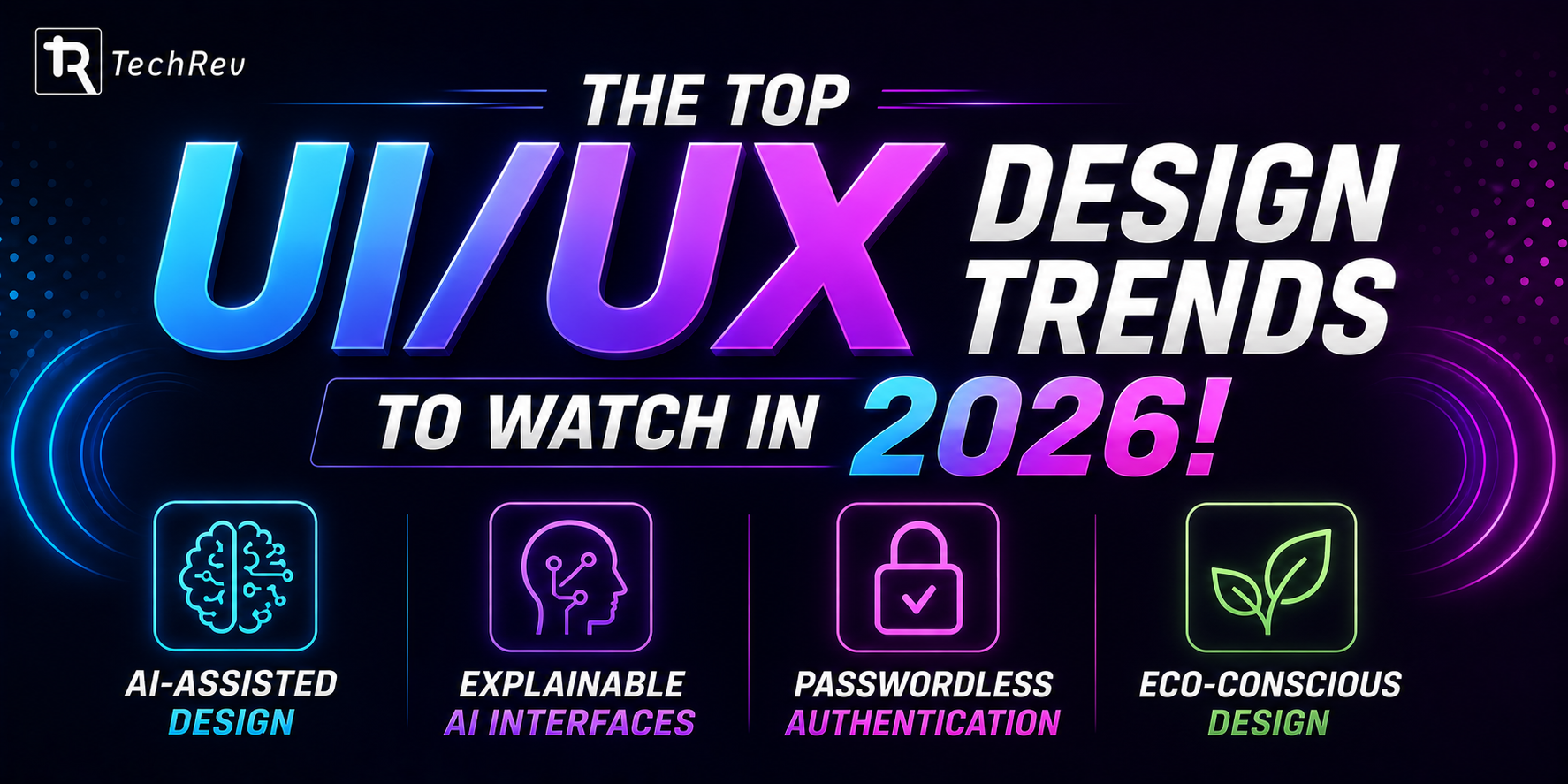
1. AI-Assisted Design
AI tools like Figma AI, Galileo, and Wizard are generating initial UI layouts from text prompts, automating repetitive tasks, and surfacing design insights from user data faster than any manual process could. The role of the ui ux designer is shifting toward strategy, refinement, and judgment rather than execution of routine tasks.
2. Explainable AI Interfaces
When a product uses AI to make recommendations or take actions, users need to understand what happened and why.
The explainable AI market is projected to reach $33.2 billion by 2032. Products that surface AI reasoning clearly will outperform those that treat AI as a black box.
3. Passwordless Authentication
Biometrics, passkeys, and FIDO2 standards are becoming the design baseline in 2026. The challenge for ux designers ui designers now is managing the transition smoothly for users who are still used to passwords.
Also Read – Flutter vs React Native 2026: Best for AI-Powered Mobile Apps?
4. Eco-Conscious Design
More product teams are considering energy efficiency as a design dimension. Lighter interfaces, optimized asset delivery, and reduced resource-heavy animations are becoming part of responsible design practice.
Conclusion
In 2026, users have no shortage of alternatives. If your app or website makes them work harder than they should, they leave. If it makes them feel confused, they don’t come back. And if it doesn’t work on their phone, many of them never had the chance to form an opinion at all.
The 10 best practices covered in this blog aren’t design theory. They’re operational principles backed by data from Forrester, McKinsey, Nielsen Norman Group, Baymard Institute, and real-world product teams. Applied consistently, they produce products that users choose, return to, and recommend.
The good news is that you don’t have to do all of this at once. Start with the most critical friction point in your current product. Run 5 user tests this week. Check your mobile performance score. Review your tap targets. Small, consistent improvements compound into significant competitive advantages.
And if you want a partner who can audit your current experience, identify the highest-impact opportunities, and execute with precision, TechRev‘s ui ux design services are built exactly for that.
Good design isn’t a department. It’s a decision. Make it.
FAQs
1. What are the most important UI/UX design best practices in 2026?
The most impactful UI/UX design best practices in 2026 are: user-centered design backed by real research, mobile-first design as a non-negotiable foundation, performance optimization as part of the design process, accessibility built in from day one, recognition-over-recall interface patterns, privacy-first personalization, consistent design systems, purposeful micro-interactions, continuous usability testing, and prioritizing clarity over visual complexity. These aren’t trend-driven. They’re validated principles that drive measurable business outcomes.
2. How does good UI/UX design impact business revenue?
The numbers are consistent across Forrester, Baymard, and McKinsey research. Every $1 invested in UX returns up to $100 (9,900% ROI). A well-designed UI can boost conversion rates by 200%, and strong UX can push that to 400%. Companies with top design scores grow revenue 32% faster and deliver 56% higher total returns to shareholders compared to industry peers. Fixing checkout UX alone can lift e-commerce conversions by 35.26%.
3. What is the difference between a UI designer and a UX designer?
A UI designer (User Interface designer) focuses on the visual and interactive elements of a product: colors, typography, button states, and layout. A UX designer (User Experience designer) focuses on the overall journey a user takes through a product: the information architecture, task flows, and how friction is reduced at each step. In practice, many ux designer ui designer roles overlap, and the best product teams have people who understand and work across both disciplines.
4. Why is mobile-first design critical for UI/UX in 2026?
Over 63% of global web traffic comes from mobile devices in 2026. Google’s mobile-first indexing means mobile performance directly impacts search visibility. And user expectations are set by apps like Spotify, Instagram, and Airbnb that deliver flawless mobile experiences. Products that treat mobile as an afterthought face higher bounce rates, lower conversions, and weaker search rankings. For android app development and iOS app development, mobile-first is not a best practice. It’s the baseline.
5. What should I look for in a UI/UX design agency?
Look for a ui/ux design agency that starts with user research, not visual design. Ask how they measure success (conversion rates, task completion rates, retention metrics). Look for case studies that show business outcomes, not just portfolio aesthetics. Ask how they handle accessibility, design systems, and developer handoff. And look for teams that have experience across the specific platform you’re building for, whether web, android app development, or iOS app development.
6. How many users do you need to test a UI/UX design?
According to Nielsen Norman Group, just 5 users can uncover 85% of the usability issues in a design. You don’t need large sample sizes to get valuable insights. The key is testing frequently and iterating based on what you learn, rather than running one large test once and considering the design finished.
7. What is TechRev and what UI/UX design services do they offer?
TechRev is a ui/ux design agency that provides end-to-end design services for web platforms, mobile applications, and enterprise products. Their ui ux design services include UX research and audits, UI design and design systems, mobile app design for both android app development and iOS app development, accessibility consulting, and ongoing design support for product teams. TechRev’s approach is grounded in user research and tied directly to measurable business outcomes.
8. Can TechRev help with both Android and iOS app design?
Yes. TechRev has experience delivering ui/ux design for both android app development and iOS app development. The team understands the platform-specific design guidelines (Material Design for Android, Human Interface Guidelines for iOS) and designs accordingly so that the final product feels native to each platform while maintaining a consistent brand experience.