

Legal document automation software attacks the most expensive irony in law practice: highly trained attorneys spending billable-caliber hours assembling documents that are 80% identical to the last hundred they produced. Clio’s Legal Trends research has consistently found lawyers bill only around 3 hours of an 8-hour day, and routine drafting is one of the places the other five hours go.
The profession has noticed. The same research tracked legal professionals’ AI adoption exploding from 19% to 79% in a single year, and Gartner projected that legal departments would automate half the legal work tied to major corporate transactions, with document-heavy workflows first in line.
This guide covers what legal document automation software does, the market numbers behind the shift, the features and AI capabilities that matter in 2026, the build-vs-buy decision, and what each path costs.
What Is Legal Document Automation Software?
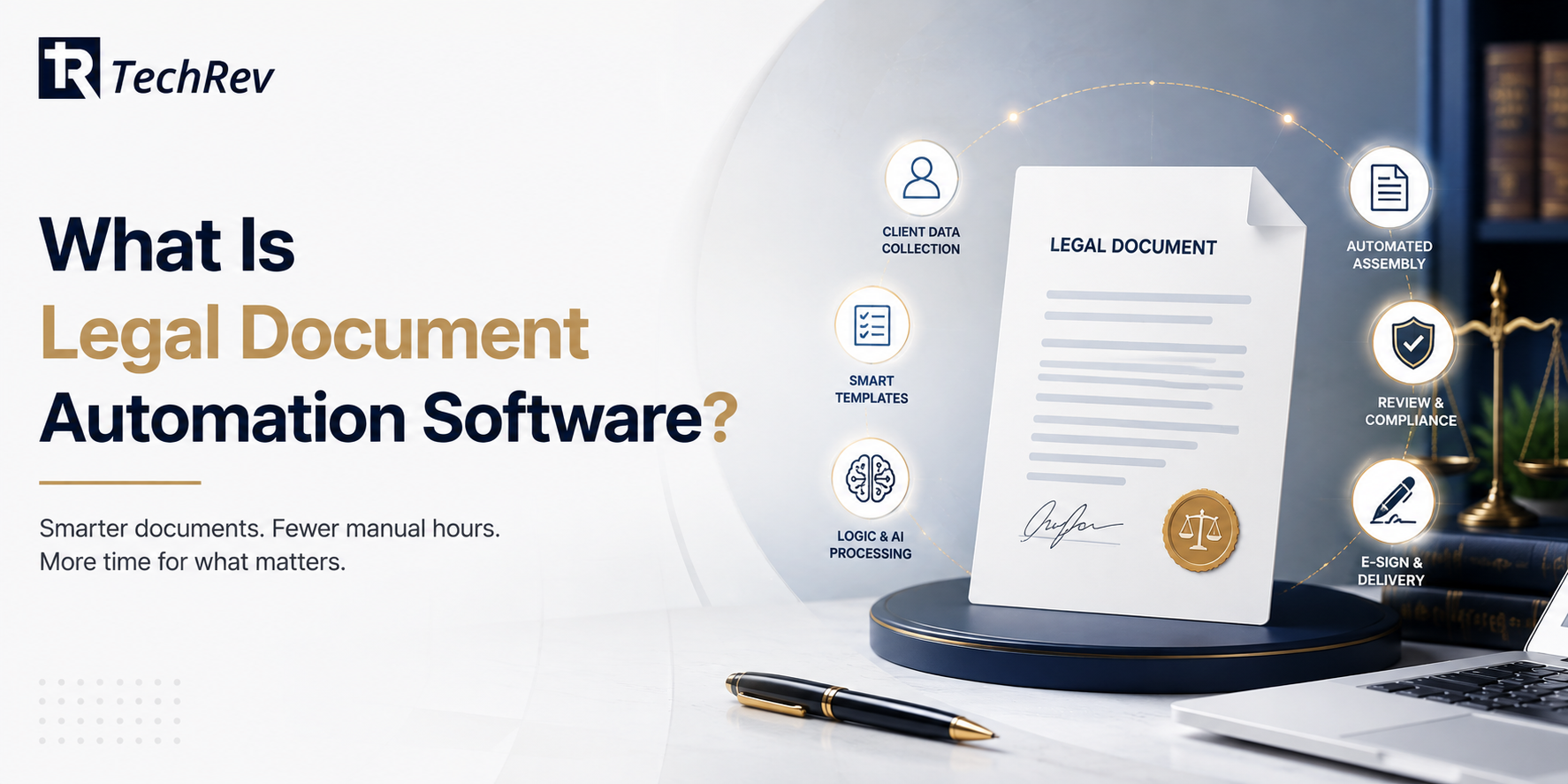
Legal document automation software turns a firm’s documents into intelligent templates: it pulls client and matter data, asks the questions a drafter would ask, applies the firm’s logic and clause choices, and assembles a finished, formatted document in minutes, with attorneys reviewing rather than retyping.
It covers engagement letters, contracts, pleadings, discovery responses, estate documents, immigration filings, and every other document a firm produces more than once.
The plain-English version: the software does the assembly, the attorney does the lawyering.
Why Law Firms Are Buying Document Automation: The Real Numbers
The economics of legal document automation stack up from four directions:
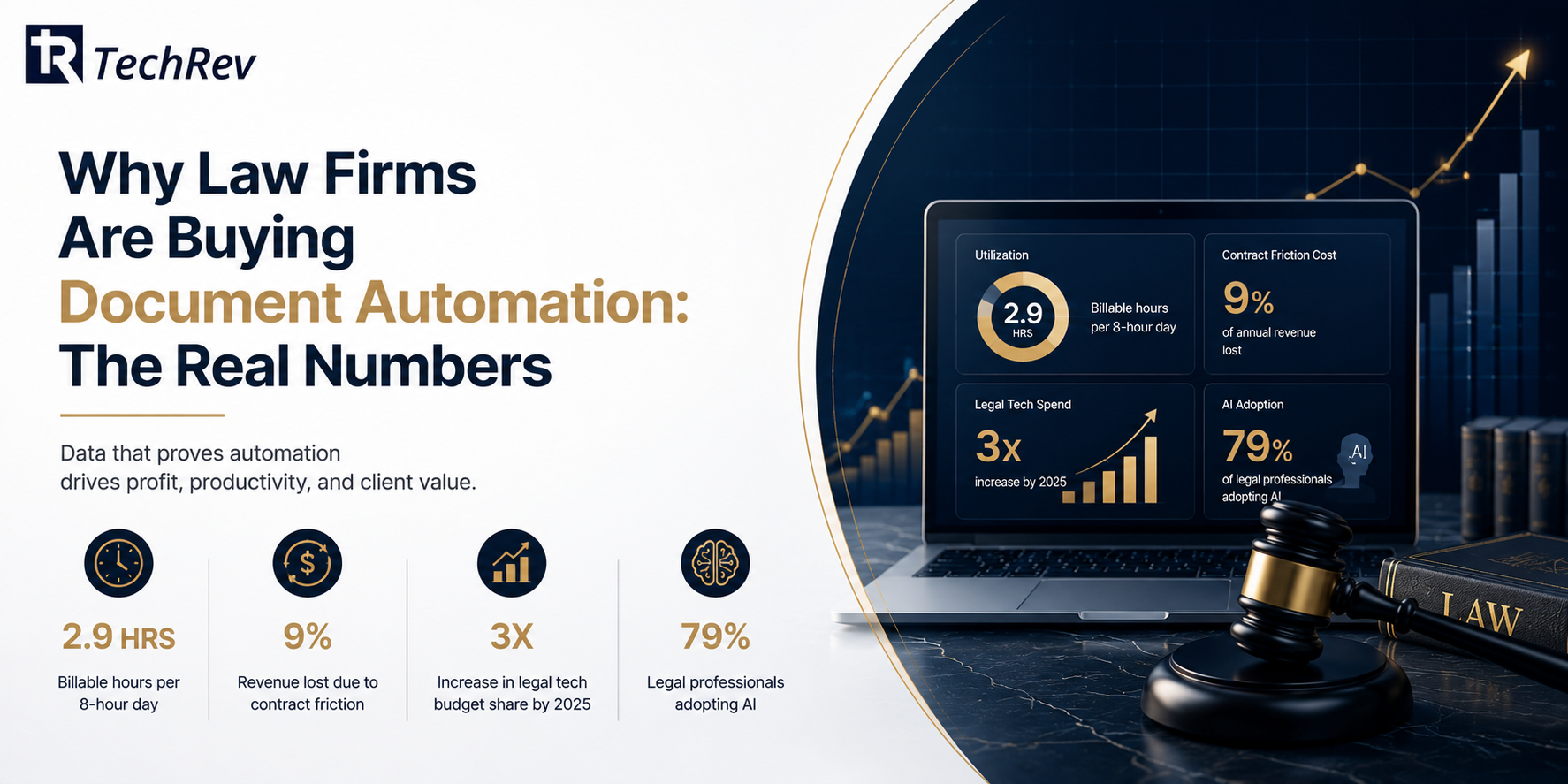
- Utilization is the ceiling. With lawyers billing roughly 2.9 hours per 8-hour day per Clio’s research, every hour reclaimed from routine drafting is either billable time or capacity to take more matters without hiring.
- Contract friction has a price tag. World Commerce & Contracting research famously estimated that poor contract and commitment management costs organizations on the order of 9% of annual revenue, a figure that made document quality and cycle time a board-level topic for the corporate clients firms serve.
- Budgets already moved. Gartner projected legal technology spending would roughly triple its share of in-house legal budgets by 2025 compared with 2020, and the broader legal tech market is now measured in the tens of billions of dollars globally with steady growth projected through 2030.
- Adoption crossed the chasm. The 19% to 79% one-year jump in legal AI adoption means document automation is no longer an early-adopter edge. The remaining edge is implementation quality: whose automation actually encodes their best drafting, and whose just fills blanks.
Notice what these numbers do to the “we’ve always drafted this way” argument. When clients leak 9% of revenue to contract friction and competitors reclaim hours at scale, manual assembly stops being tradition and starts being a pricing disadvantage.
What Can Legal Document Automation Software Do? Key Features?
Template intelligence:
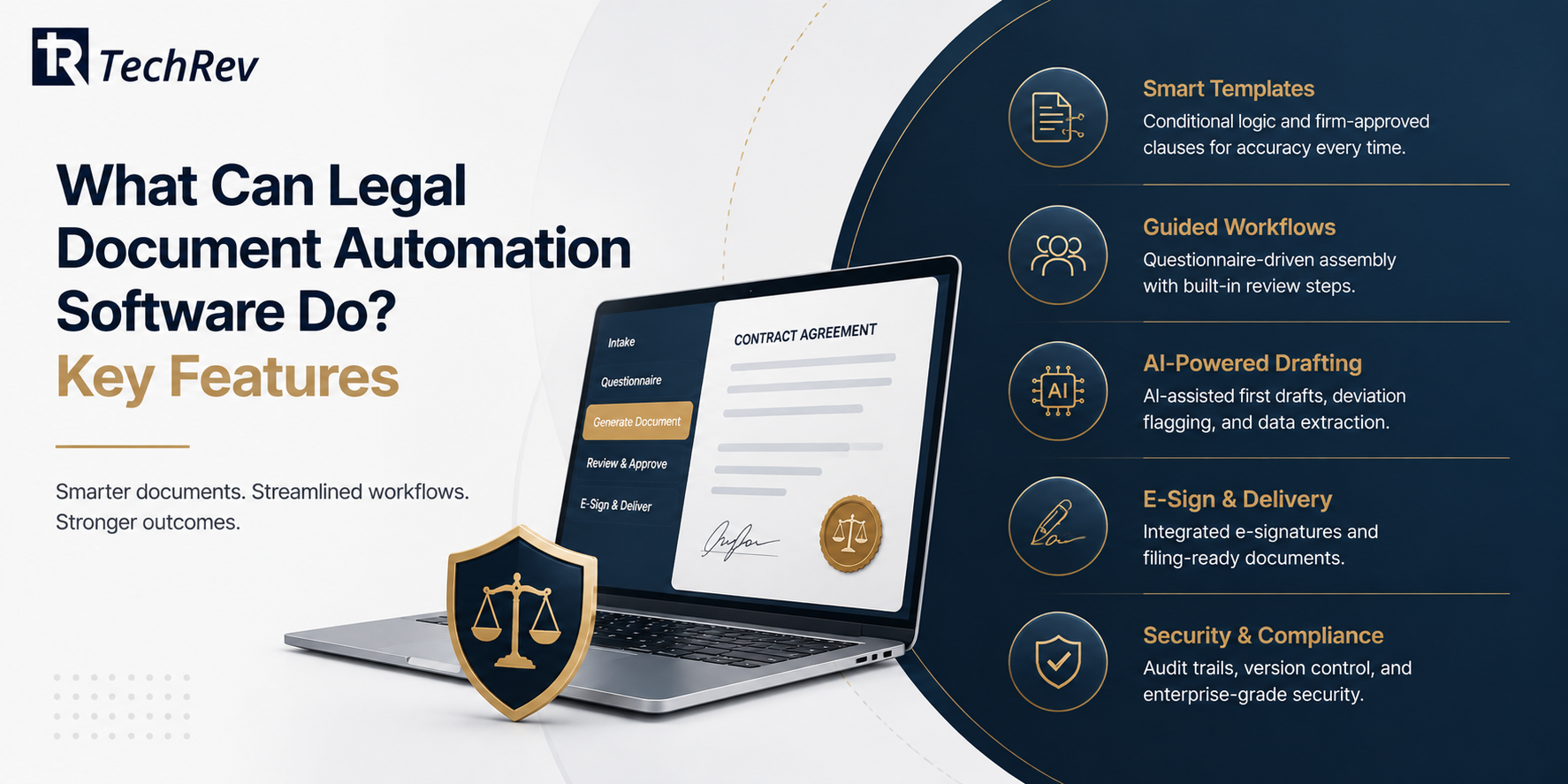
- Smart templates with conditional logic: clauses that appear, adapt, or vanish based on matter facts, jurisdiction, and client type
- Firm-approved clause libraries, so every document draws from language the partners already blessed
- Data reuse from intake, CRM, and case management, ending the retype-the-client’s-name era and the typos that ride along with it
Workflow:
- Questionnaire-driven assembly a paralegal or client can complete, with attorney review checkpoints built in
- Version control and audit trails showing who changed what, when
- E-signature routing and filing-ready formatting out the door
AI layer (the 2026 differentiator):
- AI-assisted first drafts of nonstandard sections, generated from matter context and reviewed by counsel
- Deviation flagging: the software highlights where a negotiated document departs from firm standards
- Extraction: pulling names, dates, and terms from uploaded documents to populate new ones
How Does AI Contract Drafting Actually Work?
AI contract drafting layers a language model over the firm’s own templates and clause libraries: the AI proposes language for variable sections, conforms it to firm style, and flags departures from approved positions, while conditional logic handles the structural assembly.
The critical design rule is grounding: the AI drafts from your precedents, not the open internet, and every output routes through attorney review.
Firms that skip the grounding get fluent nonsense; firms that build it get associates’ first-draft time back. It is the same human-in-the-loop architecture we detail across our AI development work in regulated fields.
Document Automation vs Document Management: What Is the Difference?
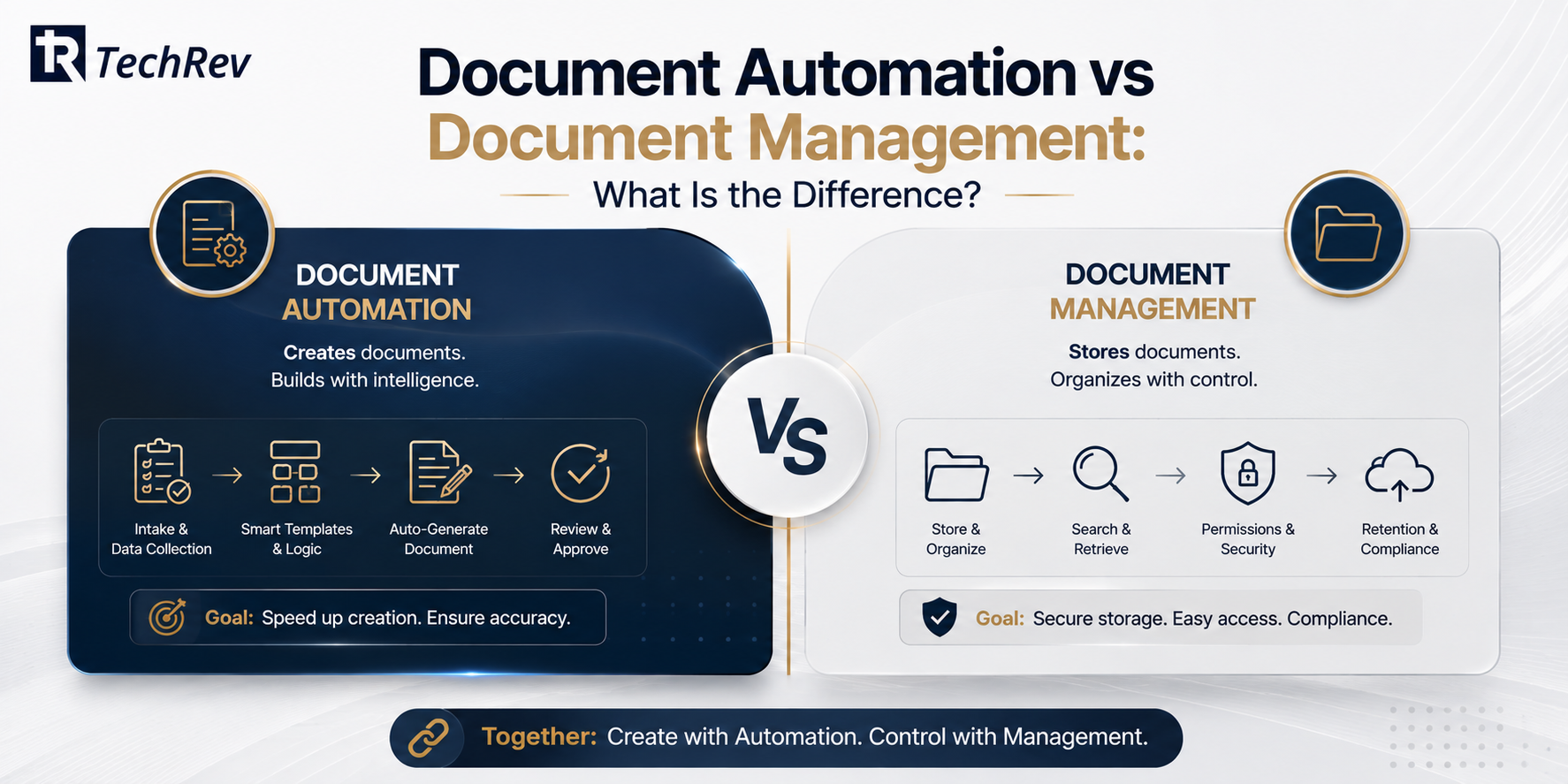
Document automation software creates documents: templates, logic, assembly, drafting. Legal document management software stores and organizes them: filing, search, permissions, retention. Automation is the factory; management is the warehouse.
Firms need both, and the highest-functioning stacks connect them, so an assembled document lands in the right matter file with metadata attached, no human filing required.
If you are evaluating tools and the demo is all folders and search, you are looking at the warehouse. This article is about the factory.
Build vs Buy: When Does Custom Legal Document Automation Win?

Off-the-shelf document automation tools fit firms whose documents are common and whose logic is simple. Custom-built automation wins in four situations:
- Your document logic is your moat. High-volume practices (personal injury, immigration, estate planning, lending) where speed and consistency of document production is literally the business model deserve automation engineered around their exact workflows, not adapted to a template engine’s limits.
- Volume breaks per-document pricing. Subscription tools priced per user or per document invert their economics at scale, the same rent-vs-own math we break down in our comparison of AI automation agencies vs custom development.
- Integration depth decides value. When documents must draw from and write back to your intake system, case management, billing, and client portal, direct API integration beats connector marketplaces. Document automation and legal intake software are natural siblings: intake collects the data, automation turns it into documents.
- Confidentiality architecture matters. Client data flowing through a stack of third-party tools is a diligence question waiting to be asked. Custom builds keep data inside architecture you control, with encryption, access controls, and audit trails designed in.
The sequencing that works: many firms start with an off-the-shelf tool, prove which documents deliver the hours, then graduate the high-volume winners to custom automation integrated with their systems, the pattern behind most successful law firm automation programs.
How Much Does Legal Document Automation Software Cost?
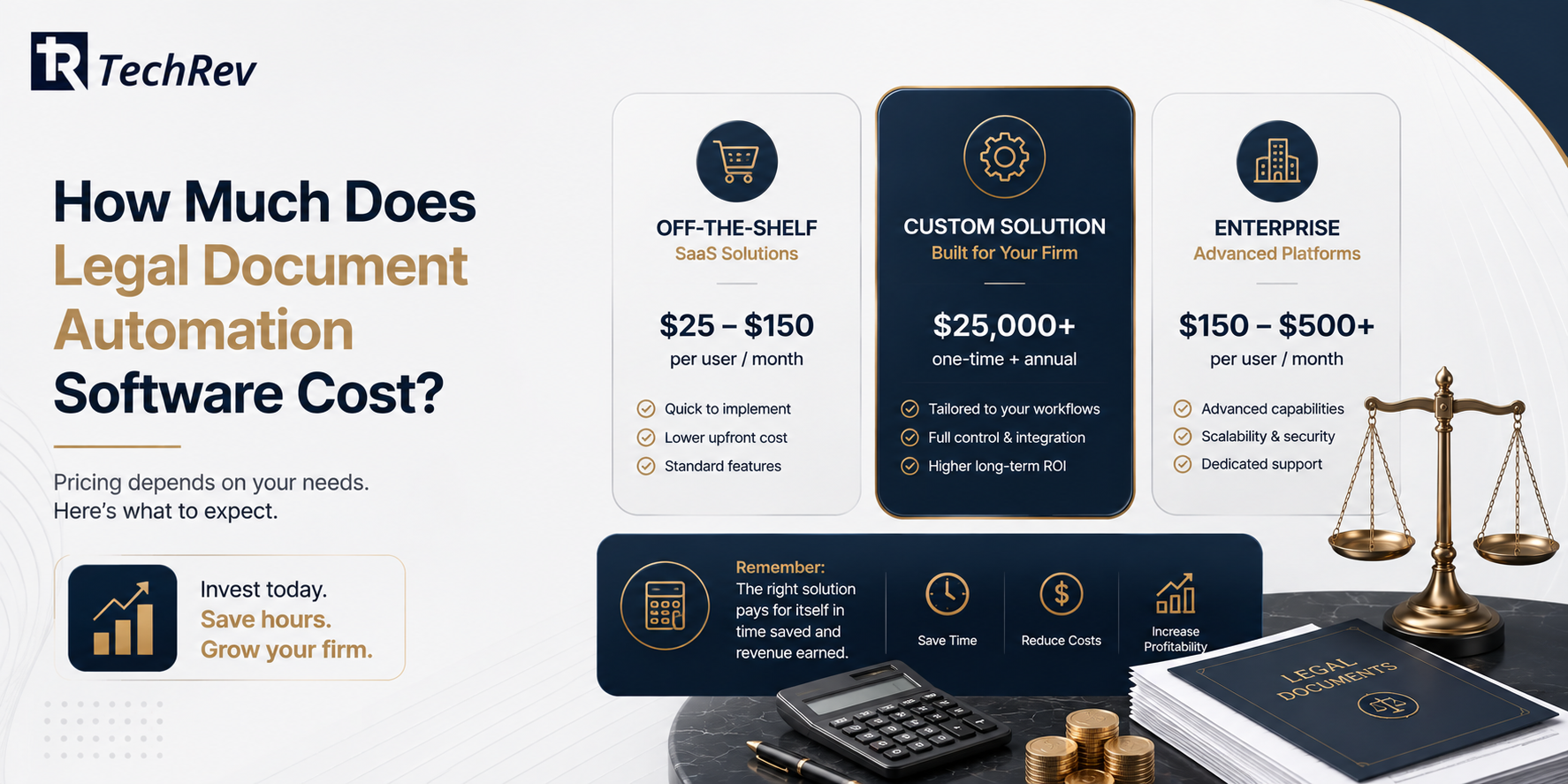
Off-the-shelf legal document automation software typically runs from tens of dollars per user monthly for basic template tools to several hundred per user monthly for AI-enabled platforms, with setup and template-building services often billed separately.
Custom legal document automation typically starts in the mid five figures for a focused build covering a firm’s core document set with intake and case-management integration, scaling with AI capability and document breadth.
Run the firm’s own math: hours currently spent assembling routine documents per month, times the blended rate of the people doing it, against either price. For document-heavy practices, reclaiming even a fraction of drafting time covers the investment quickly, and a custom build adds an asset the firm owns rather than a subscription that scales its price with your success.
How TechRev Builds Legal Document Automation for Law Firms?
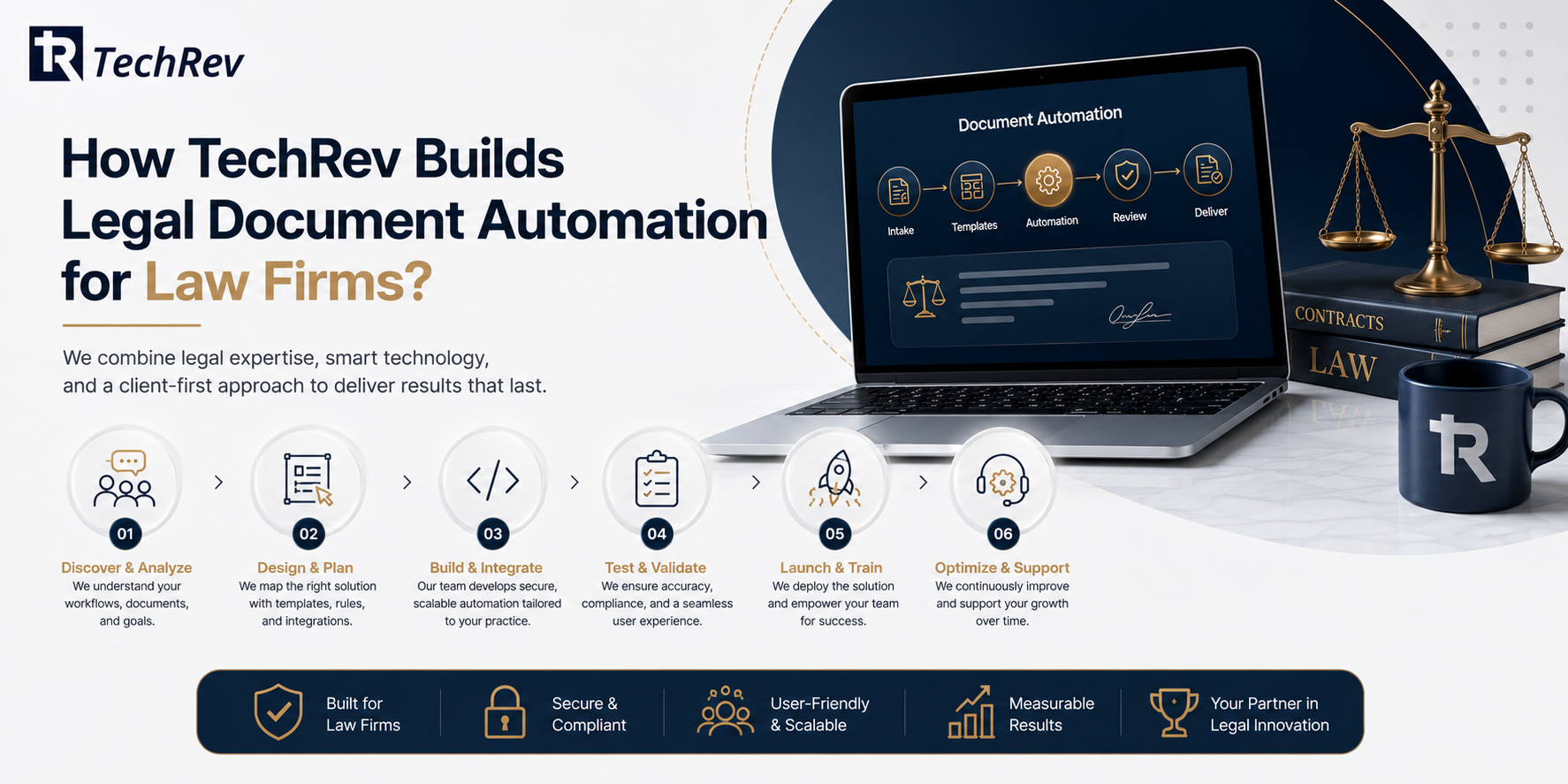
TechRev is a US-based software development company with a dedicated LegalTech practice, building custom document automation, intake systems, and AI drafting workflows through generative AI development engineered for confidentiality-critical environments.
Q1: What does TechRev build in a legal document automation system?
The complete factory: your documents converted into intelligent templates with conditional logic, firm-approved clause libraries, questionnaire-driven assembly, AI-assisted drafting grounded in your own precedents, deviation flagging, e-signature routing, and direct integration with your intake, case management, and billing systems so data flows instead of being retyped.
We scope through MVP development: your three highest-volume document types automated first, drafting hours measured before and after, and the roadmap funded by demonstrated results. Security is architectural: encryption, role-based access, and complete audit trails, the same posture we bring from our HIPAA and SOC 2 healthcare work.
Q2: Can TechRev integrate document automation with our existing legal software?
Yes. Our integration-first approach connects automation to the case management, intake, and billing tools your firm already runs through APIs, so documents assemble from live data.
Q3: Does TechRev build AI drafting that keeps client data confidential?
Yes. TechRev builds AI drafting grounded in your own precedents, running inside architecture you control, with encryption, access controls, and audit trails rather than third-party tool chains.
Q4: What results has TechRev delivered automating error-prone manual work?
For a hospital services vendor, TechRev replaced manual tracking with an AI-powered workflow system, cutting installation errors by 90% and recovering documentation that manual processes kept losing.
The Bottom Line on Legal Document Automation Software
Lawyers billing 3 hours a day, contract friction costing clients on the order of 9% of revenue, legal tech budgets tripling, and AI adoption at 79%: the numbers all point at the same conclusion.
Document production is the most automatable expensive work in a law firm, and in 2026 the firms that encoded their drafting into software are simply producing more, faster, with fewer errors, than the firms still assembling by hand.
If your firm produces the same documents every week, talk to TechRev’s LegalTech team. We will map your document volume, identify the three types worth automating first, and scope a build that has to prove its reclaimed hours before you fund the rest.
FAQs About Legal Document Automation Software
1. What documents can legal document automation software handle?
Any document produced more than once: engagement letters, contracts and amendments, pleadings, discovery responses, demand letters, estate plans, immigration filings, closing sets, and compliance paperwork. The best first candidates are high-volume documents with clear conditional logic.
2. Is AI legal document generation safe for client work?
Yes, when grounded and supervised: the AI drafts from the firm’s own templates and precedents, outputs route through attorney review, and the system logs every change. Ungrounded generation from open models is where confidentiality and accuracy risks live, which is why architecture matters more than the model.
3. What is the difference between document automation and document assembly software?
Document assembly software is the traditional core: templates plus questionnaires producing finished documents. Document automation is the broader workflow around it: data integration, AI drafting, deviation review, e-signature, and filing. Modern platforms and custom builds deliver both as one pipeline.
4. How long does it take to implement legal document automation?
Off-the-shelf tools deploy in days, though template building takes weeks of internal effort. Custom automation typically ships its first document set in 4 to 8 weeks, with integrations and AI drafting phased after, so the firm sees reclaimed hours before the full roadmap is funded.
5. Does document automation for law firms reduce malpractice risk?
It reduces the error classes behind many claims: wrong names, stale clauses, missed deadlines, and inconsistent language across related documents. Firm-approved clause libraries and audit trails also strengthen the story you can tell an insurer or a court about your quality controls.
6. Should small law firms use legal document automation software?
Yes, usually starting with off-the-shelf tools on their two or three highest-volume documents. The switch point to custom arrives with volume, integration needs, or when per-user pricing outgrows what an owned system would cost, the same threshold high-volume practices cross earliest.