
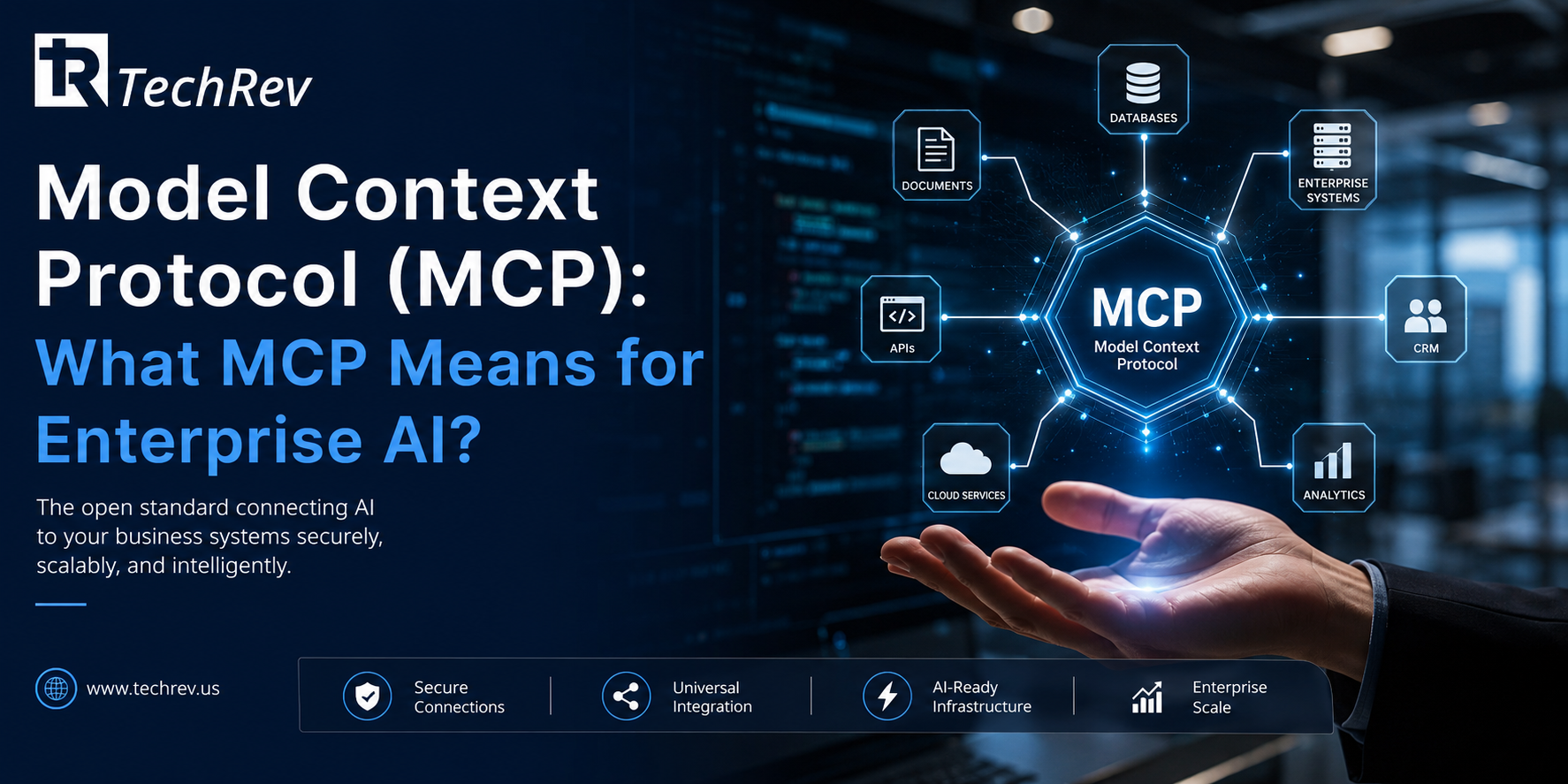
The Model Context Protocol went from a specification almost nobody had heard of to the connective tissue of enterprise AI in barely a year. Anthropic open-sourced MCP in November 2024; by March 2025 OpenAI had adopted it, with Google DeepMind and Microsoft following, and by mid-2025 the ecosystem had grown into thousands of community and vendor MCP servers. Protocols do not usually spread that fast. This one did because it solved the exact problem that was strangling AI projects.
Connecting M AI applications to N business systems the old way meant building and maintaining roughly M times N custom integrations. MCP turns that into M plus N: each system exposes one standard interface, each AI client speaks one standard protocol. For anyone who has watched an AI pilot die in integration backlog, and MIT’s 2025 research found roughly 95% of enterprise generative AI pilots delivering no measurable ROI, largely from integration failures, that shift is the whole ballgame.
This blog explains what the Model Context Protocol is, how MCP works, MCP versus APIs, the security questions enterprises must ask, and what it changes about AI agent development in 2026.
What Is the Model Context Protocol (MCP)?
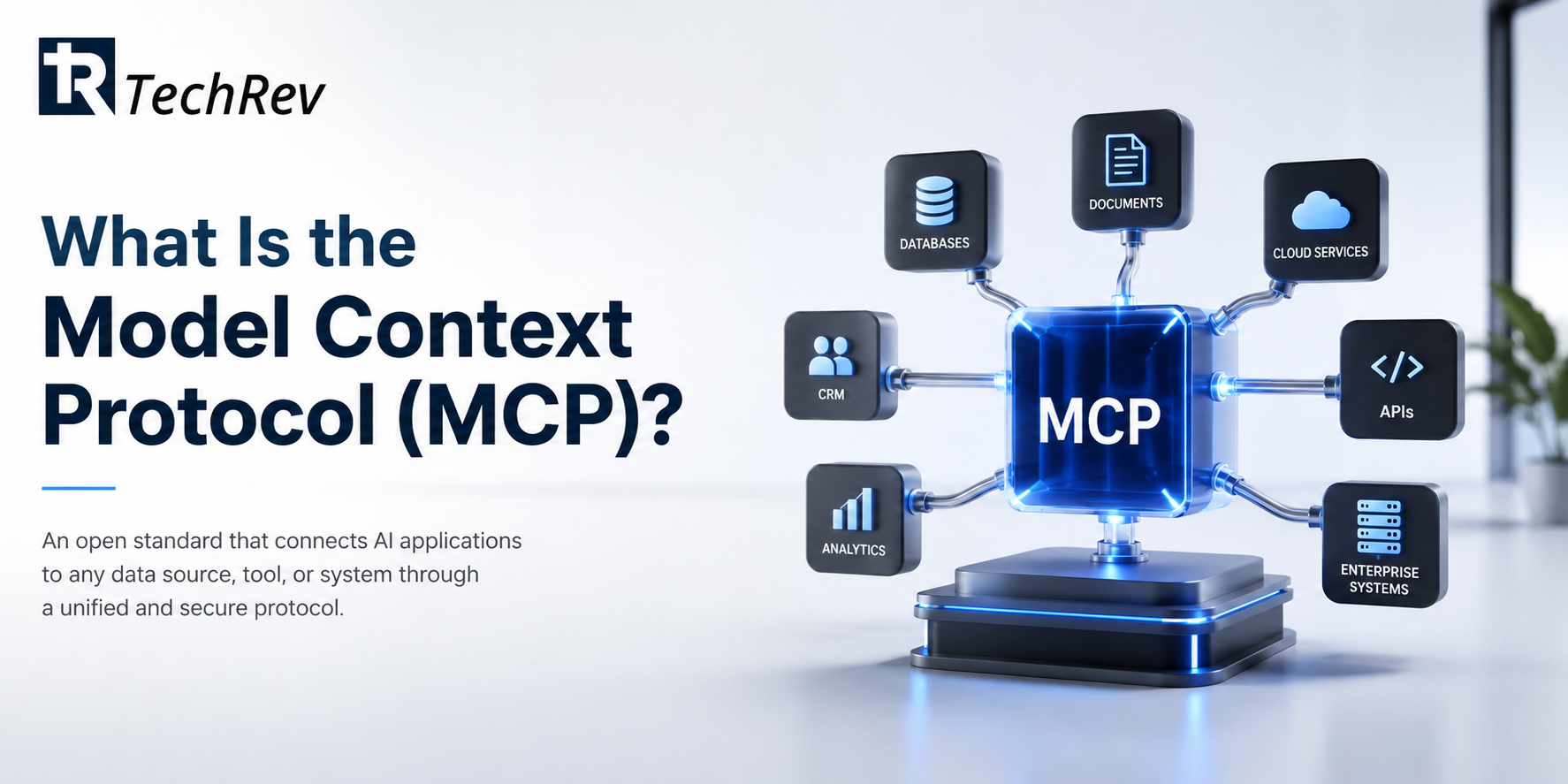
The Model Context Protocol is an open standard that defines how AI applications connect to external tools, data sources, and systems. Instead of every AI product building bespoke connectors for every service, MCP gives both sides a common language: systems expose their capabilities through an MCP server, and AI applications consume them through an MCP client. Anthropic introduced it in November 2024 and open-sourced it, and the major AI providers adopted it through 2025.
The comparison people find clearest: MCP is doing for AI-to-system connections roughly what USB-C did for device connections, replacing a drawer full of proprietary cables with one standard port.
How Does MCP Work? Architecture in Plain Terms
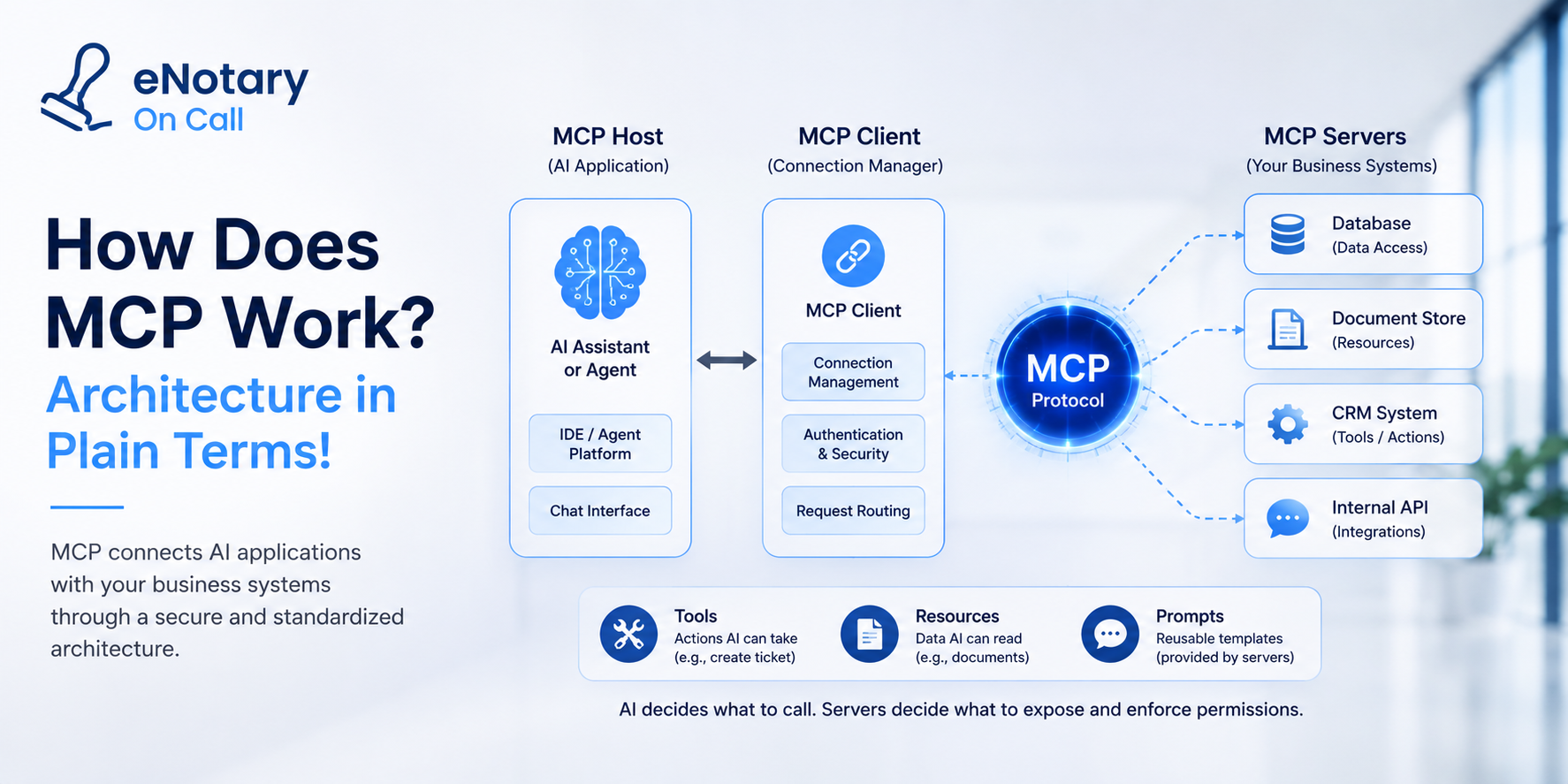
MCP works through three roles. An MCP host is the AI application (an assistant, an IDE, an agent platform). Inside it, an MCP client manages a connection to each MCP server, and the server is a lightweight program that exposes a specific system’s capabilities: your CRM, ticketing system, database, file store, or internal API.
Servers offer three kinds of capability: tools (actions the AI can take, like creating a ticket or querying records), resources (data the AI can read, like documents or schemas), and prompts (reusable templates the server provides). The AI decides what to call; the server decides what is exposed and enforces permissions. That separation is why MCP fits enterprise environments better than ad-hoc function calling: capability and authorization live with the system that owns the data.
MCP vs API: What Is the Difference?
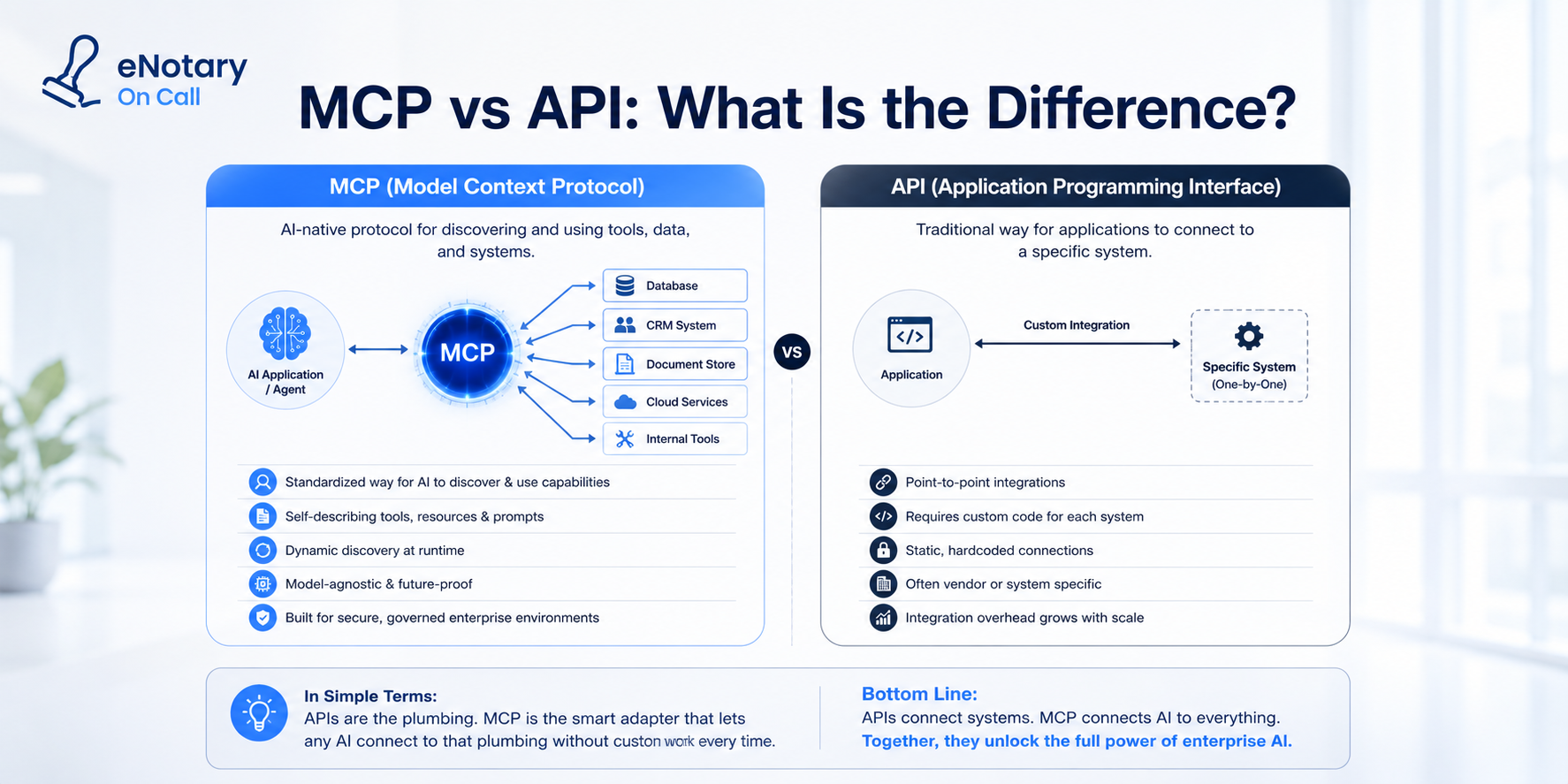
APIs define how software talks to a specific system; the Model Context Protocol defines a standard way for AI models to discover and use those systems consistently. MCP does not replace your APIs. It wraps them in a uniform interface with descriptions models can understand, so an agent can discover available tools at runtime instead of being hardcoded against each one.
Put simply: APIs are the plumbing, MCP is the standard fitting that lets any AI connect to that plumbing without custom pipework each time.
Why MCP Matters for Enterprise AI?
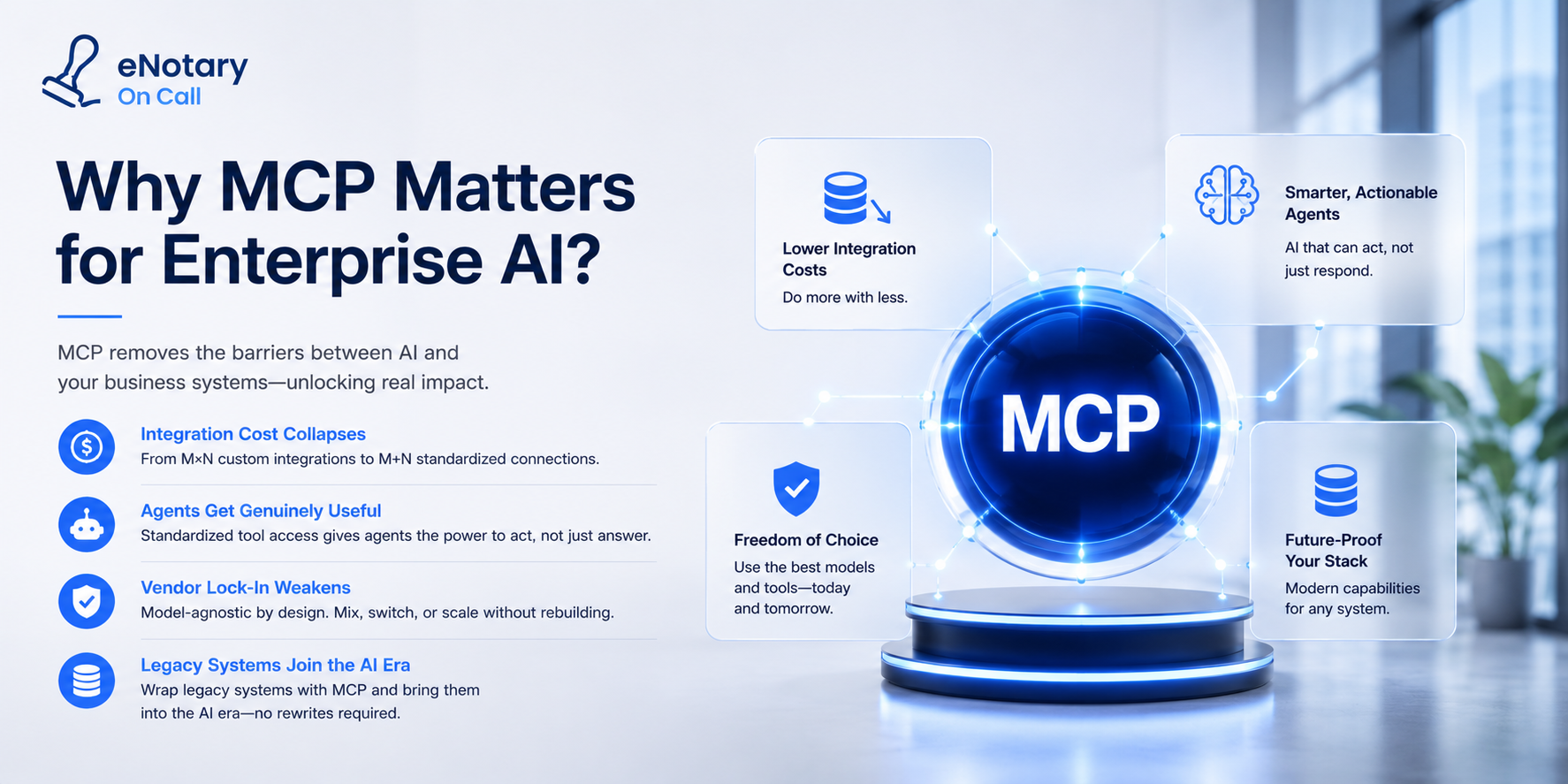
Four reasons enterprises care, in order of business impact:
- Integration cost collapses. The M times N to M plus N shift is the headline. Each system gets wrapped once and becomes available to every current and future AI application, which directly attacks the integration bottleneck behind most failed pilots.
- Agents get genuinely useful. Autonomous agents are only as capable as the tools they can reach, so standardized tool access is the missing input for enterprise AI agents that act rather than answer.
- Vendor lock-in weakens. Because MCP is model-agnostic, the same servers work across AI providers, so switching or mixing models does not mean rebuilding integrations.
- Legacy systems join the AI era. Wrapping an old system in an MCP server is a modern form of encapsulation, delivering AI access without a rewrite, the same first-move logic in our legacy system modernization guide.
Enterprise MCP Use Cases
- Internal knowledge access: assistants querying document stores, wikis, and databases through governed MCP servers rather than bulk data dumps
- Developer workflows: coding agents connected to repositories, CI systems, and issue trackers, the earliest mature adoption area
- Operations agents: agents reading and writing across CRM, ERP, and ticketing systems to complete workflows end to end
- Regulated data access: healthcare and legal environments exposing narrowly scoped, audited capabilities instead of broad system credentials, pairing naturally with HIPAA compliant development architecture
- Vendor integration: software companies shipping MCP servers so customers’ AI tools work with the product natively
MCP Security: What Enterprises Must Get Right?
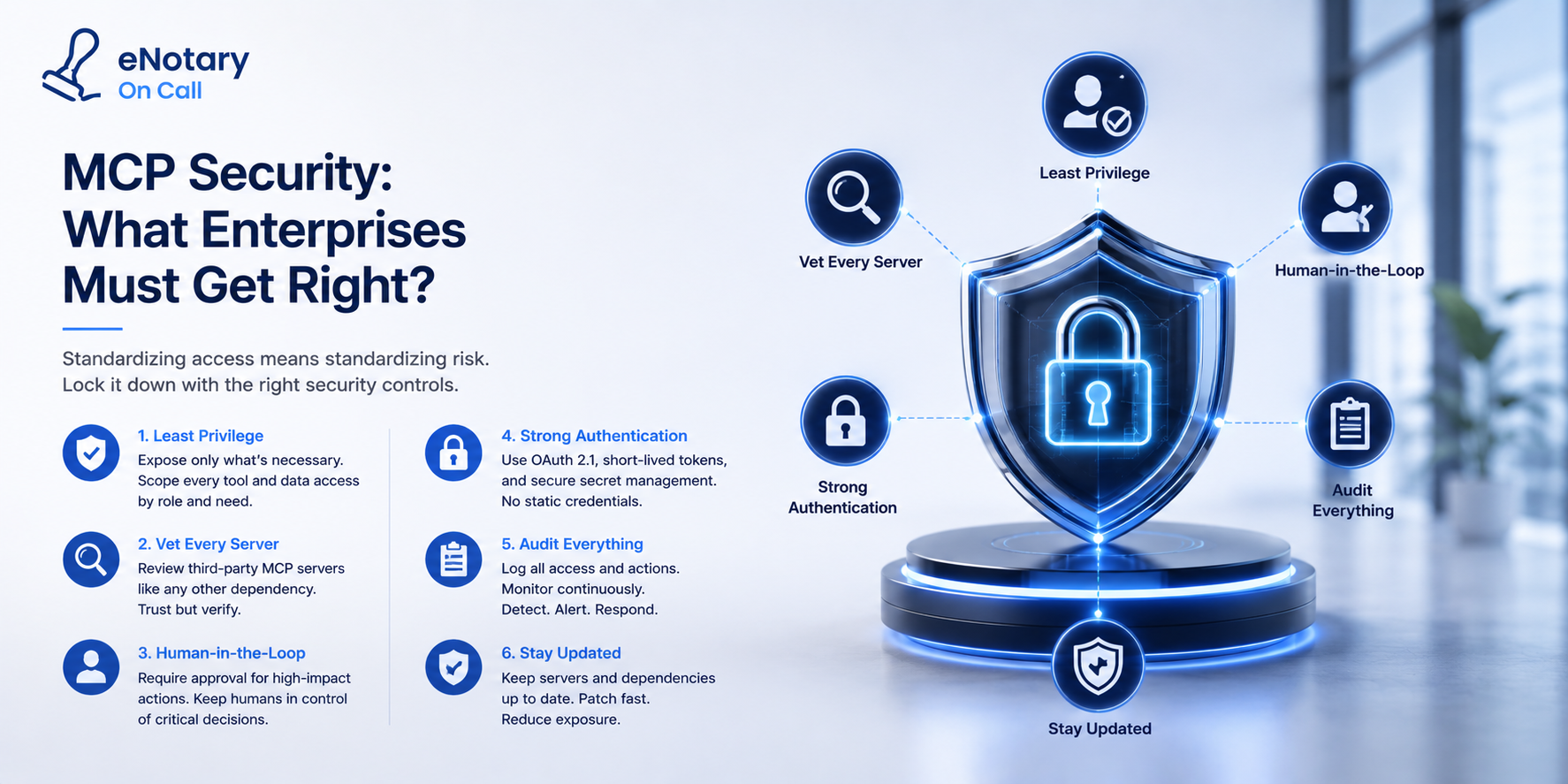
Security is where MCP deserves the most scrutiny, because standardizing tool access also standardizes attack surface. Independent researchers documented vulnerabilities across community MCP servers during 2025, including prompt-injection risks, over-permissioned tokens, and command injection in poorly built servers.
Five controls belong in any enterprise MCP deployment:
- Least privilege per server. Expose the minimum tools and data required, scoped by role, never blanket system credentials.
- Vet every third-party server. Treat an MCP server like any dependency with system access: review the code, pin versions, prefer official or self-hosted servers over unvetted community ones.
- Human approval on consequential actions. Writes, deletions, payments, and external communication should route through confirmation.
- Full audit logging. Log every tool call, its inputs, and its outcome, both for security and for the audits regulated industries face.
- Guard against prompt injection. Content the model reads can attempt to trigger tools, so validate inputs, sandbox execution, and never let untrusted content authorize privileged actions.
None of this is exotic; it is the same discipline any AI integration services engagement should apply, made more important because MCP makes capability easier to grant.
Should Your Business Build an MCP Server?
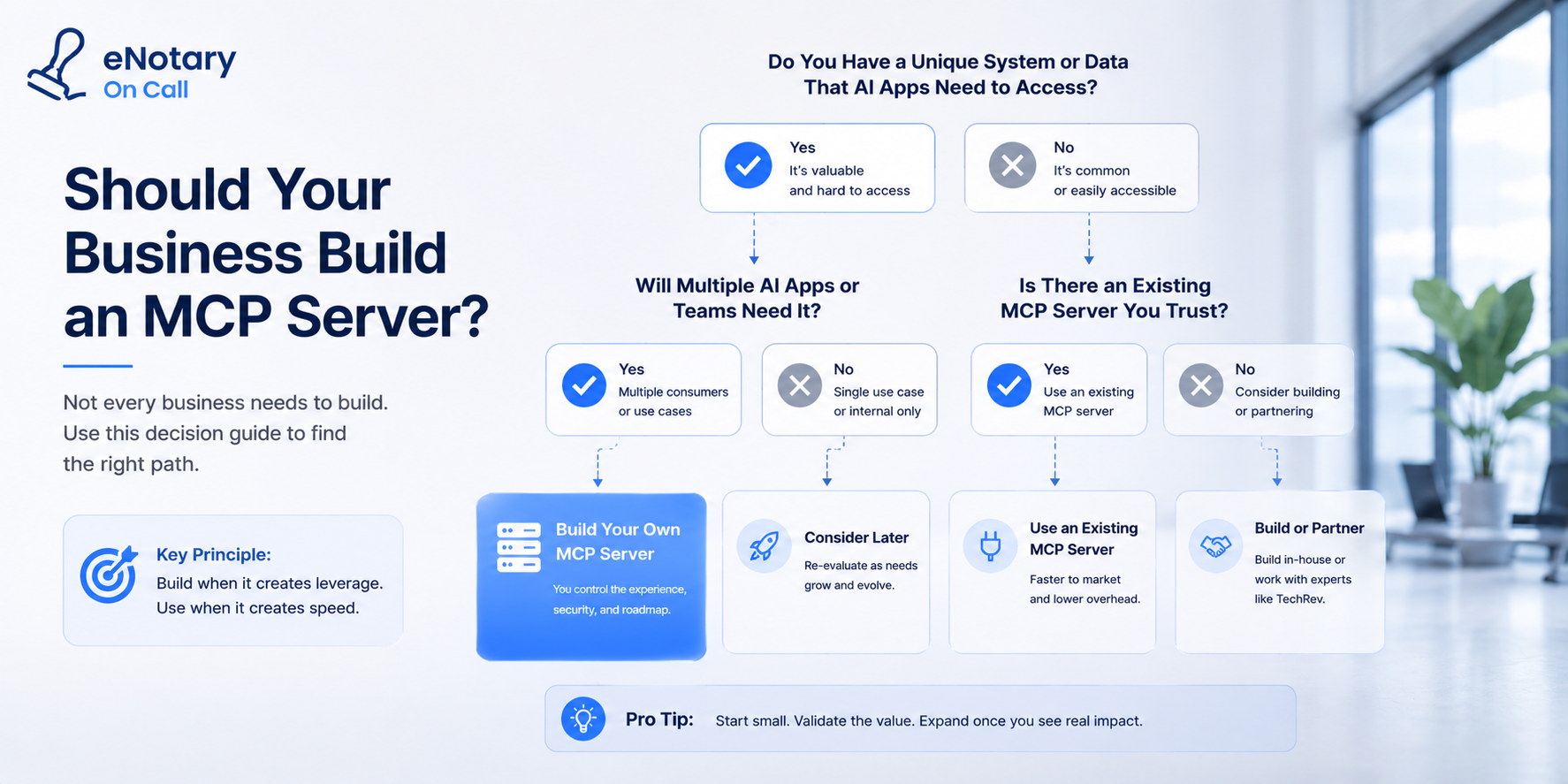
Build one when any of three conditions hold: you run internal systems your AI tools need to reach (the most common case, and often a days-to-weeks build per system); you sell software and your customers want their AI assistants and agents working with it natively, where shipping an MCP server is becoming a competitive expectation; or you are standardizing an agent platform internally and want every system reachable through one interface rather than bespoke connectors per project.
Hold off when the AI use case is undefined. A server exposing tools nobody calls is integration theater, and the same scoping discipline that governs custom AI agent development applies here: pick the workflow first, then wrap the systems it needs.
How Hard Is It to Build an MCP Server?
For a system with a decent API, a scoped MCP server is typically a small engineering project, days to a few weeks, since the protocol handles the plumbing and the work is defining tools, mapping them to your API, and enforcing permissions. The hard parts are governance, not code: deciding what to expose, to whom, with what approvals and logging. Legacy systems without usable APIs need encapsulation first.
What MCP Does Not Solve?
Three honest limits. MCP is not intelligence: standardized access does not make an agent good at your workflow, which still requires scoping, evaluation, and guardrails. It is not governance: the protocol enables permissioning but does not decide your policies. And it is not a substitute for data quality. Standardization removes the plumbing excuse, which leaves the real work exposed.
How TechRev Uses MCP in Client Builds?
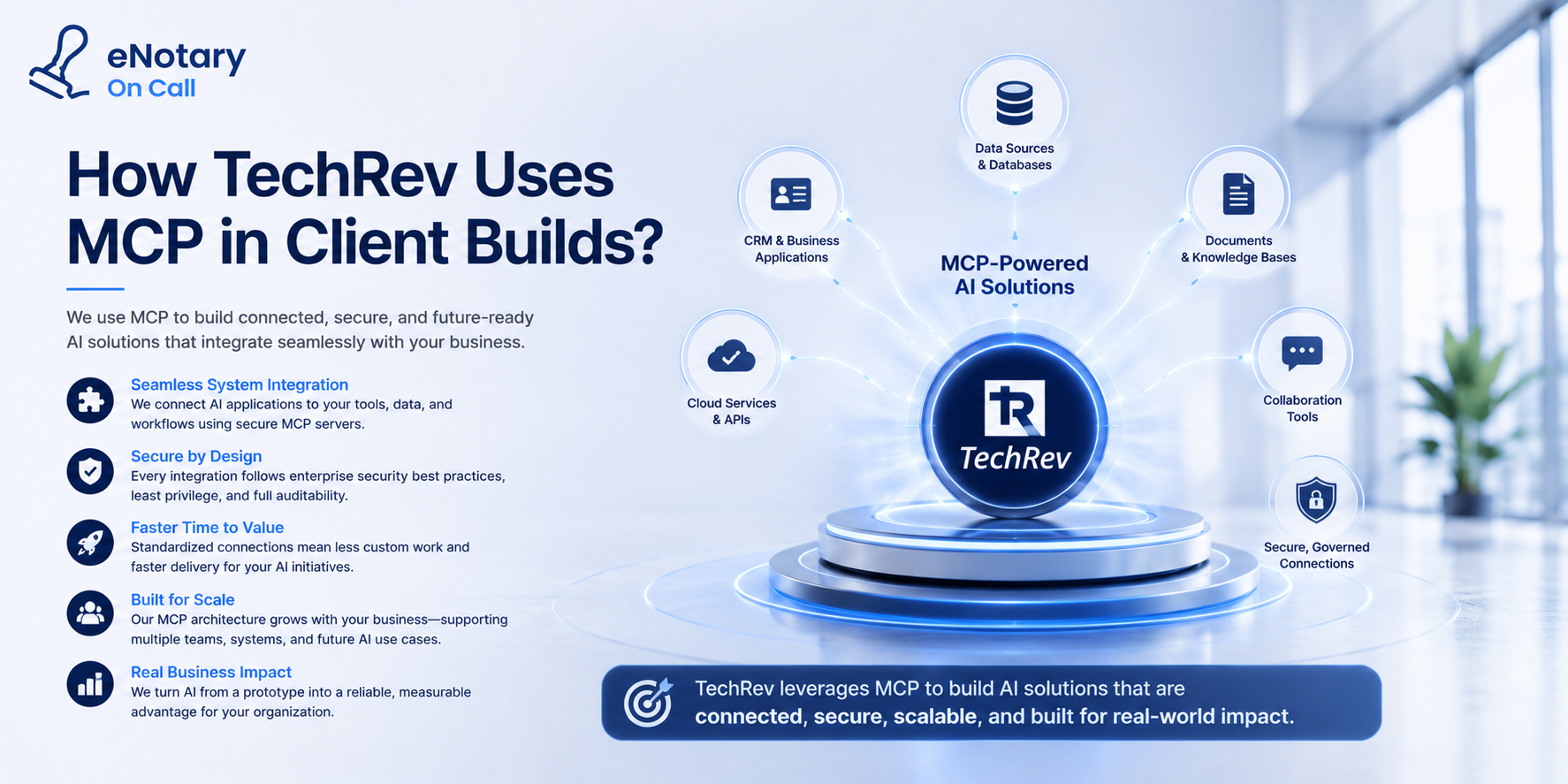
TechRev is a US-based AI development company whose integration-first approach maps directly onto what MCP standardizes: connecting AI to the systems businesses already run, delivered through generative AI development with security and audit architecture as the default.
Q1 : How does TechRev approach MCP and tool integration for clients?
Workflow first, protocol second. We scope the agent workflow, identify exactly which systems it must read from and write to, then expose those capabilities through MCP servers or direct API integration depending on your stack and governance needs. Every exposed tool is least-privilege and role-scoped, consequential actions route through human approval, and every call is logged, which is what makes the architecture defensible in HIPAA and SOC 2 environments. For clients with legacy systems, we encapsulate first so AI gains access without a rewrite. And because MCP is model-agnostic, the integration layer we build for you keeps working as models change, which protects the investment rather than locking it to a vendor.
Q2: Can TechRev build MCP servers for our internal systems?
Yes. We build scoped MCP servers exposing the specific tools and data your AI workflows need, with permissions, approval checkpoints, and audit logging designed in from the start.
Q3: Does TechRev build MCP integrations for regulated industries?
Yes. Healthcare and legal builds follow the same discipline as all our regulated work: least-privilege tool exposure, encrypted transport, BAA-covered services where PHI is involved, and immutable audit trails.
Q4: What results has TechRev delivered integrating AI into existing systems?
For a hospital services vendor, TechRev’s AI-powered workflow and tracking system, built into how teams already worked, cut installation errors by 90% and recovered lost billing evidence.
Conclusion
MCP went from launch to industry standard in about a year because it removed the most expensive part of enterprise AI: bespoke integration. That matters enormously, and it changes nothing about the fundamentals. The organizations that win with the Model Context Protocol will be the ones that already knew which workflow they were automating and how to govern what an AI is allowed to do.
If you want AI connected to your systems with permissions, approvals, and audit trails that hold up, talk to TechRev’s AI team. We will map the workflow, define what gets exposed, and build the integration layer designed to outlast the model you start with.
FAQs
- What is an MCP server?
An MCP server is a program that exposes one system’s capabilities (tools, data, and prompts) to AI applications through the Model Context Protocol. It sits in front of your CRM, database, or internal API and enforces what the AI may see and do.
- Who created MCP and is it open?
Anthropic introduced and open-sourced the Model Context Protocol in November 2024. It was adopted by OpenAI in March 2025 and by other major providers through 2025, and the specification and SDKs are publicly available, which is why the ecosystem grew to thousands of servers so quickly.
- Is MCP replacing APIs?
No. MCP standardizes how AI applications discover and use capabilities that your APIs still provide. Most MCP servers are thin layers over existing APIs, adding model-readable descriptions, permission scoping, and a uniform interface.
- Is MCP secure enough for enterprise use?
The protocol supports secure deployment, but security depends on implementation. Researchers documented real vulnerabilities in community servers during 2025, so enterprises should self-host or vet servers, apply least privilege, require approval for consequential actions, log everything, and defend against prompt injection.
- Do we need MCP to build AI agents?
No. Direct API integration remains perfectly valid, especially for narrow, high-volume agents. MCP earns its place when multiple AI applications need the same systems, when you want model portability, or when you are standardizing agent infrastructure across teams.
- What is the difference between an MCP client and an MCP host?
The host is the AI application the user interacts with; the client is the component inside it maintaining a connection to a given MCP server. One host typically runs several clients, one per connected server.